

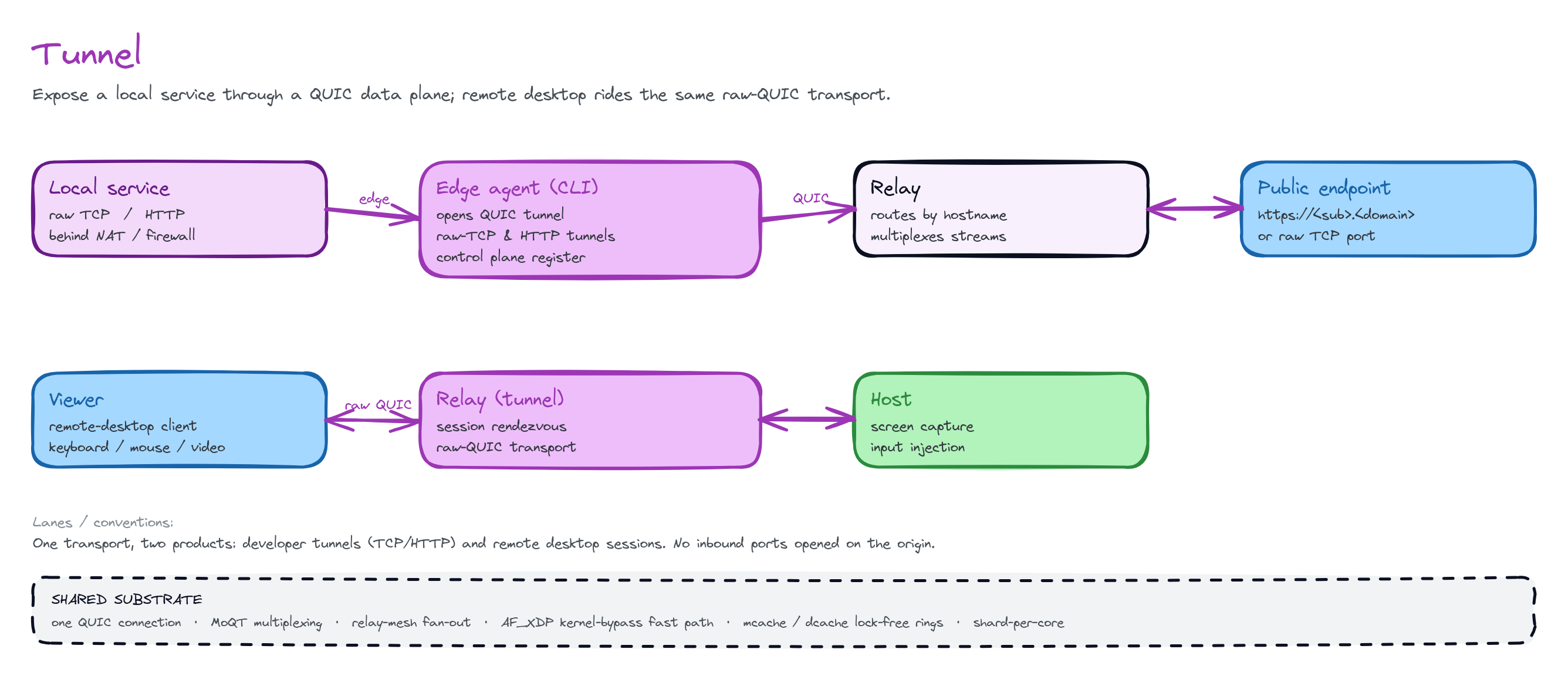
A controller reaches a headless box through the QUIC relay. Both ends dial out. The relay splices the two streams. The desktop session is encrypted end to end.
What you can build
Remote support
A support agent connects to a customer’s machine by device id and one-time
code. The agent sees the screen and controls the machine. This works
across NATs with no firewall changes.
Unattended fleet access
Kiosks, signage, lab machines, or build boxes register on boot and stay
reachable by id. You can log in at any time without a person at the far
end.
Cross-NAT admin
Reach a machine behind CGNAT or a locked-down office network. The machine
only dials out, so there is no port to forward.
Self-hosted deployment
Point the clients at your own account server and relay for a fully
in-house remote-access product. The audit trail, recordings, and address
book stay on your infrastructure.
Why QuickDesk
- No inbound ports. The controlled box is always the QUIC client. It dials out, so NAT traversal is free and there is no firewall hole to open.
- End-to-end encrypted. The relay is untrusted. Transport TLS only secures the hop to the edge. Confidentiality and peer authentication come from QuickDesk’s own signed key exchange. The relay never sees your screen or keystrokes.
- One transport, one namespace. Desktop sessions use the same parked-stream relay, slug namespace, and edge mesh as HTTP/TCP tunnels. You operate one system.
- Self-hostable. Run the account server and edge on your own infrastructure. The clients ship with a default server. One setting points the clients at yours.
- Native clients everywhere. Desktop clients (Windows, macOS, Linux) and mobile clients (Android, iOS) use the same protocol and the same account.
The pieces
Next
How it works
Learn the QUIC transport, connect-by-slug, and the end-to-end encryption
model.
Clients & downloads
Install the clients on desktop and mobile. Make your first connection.
Self-host the account server
Run login, address book, audit, and recording on your own infrastructure.
Security & audit
Learn the trust model, credential handling, and the audit / recording
trail.